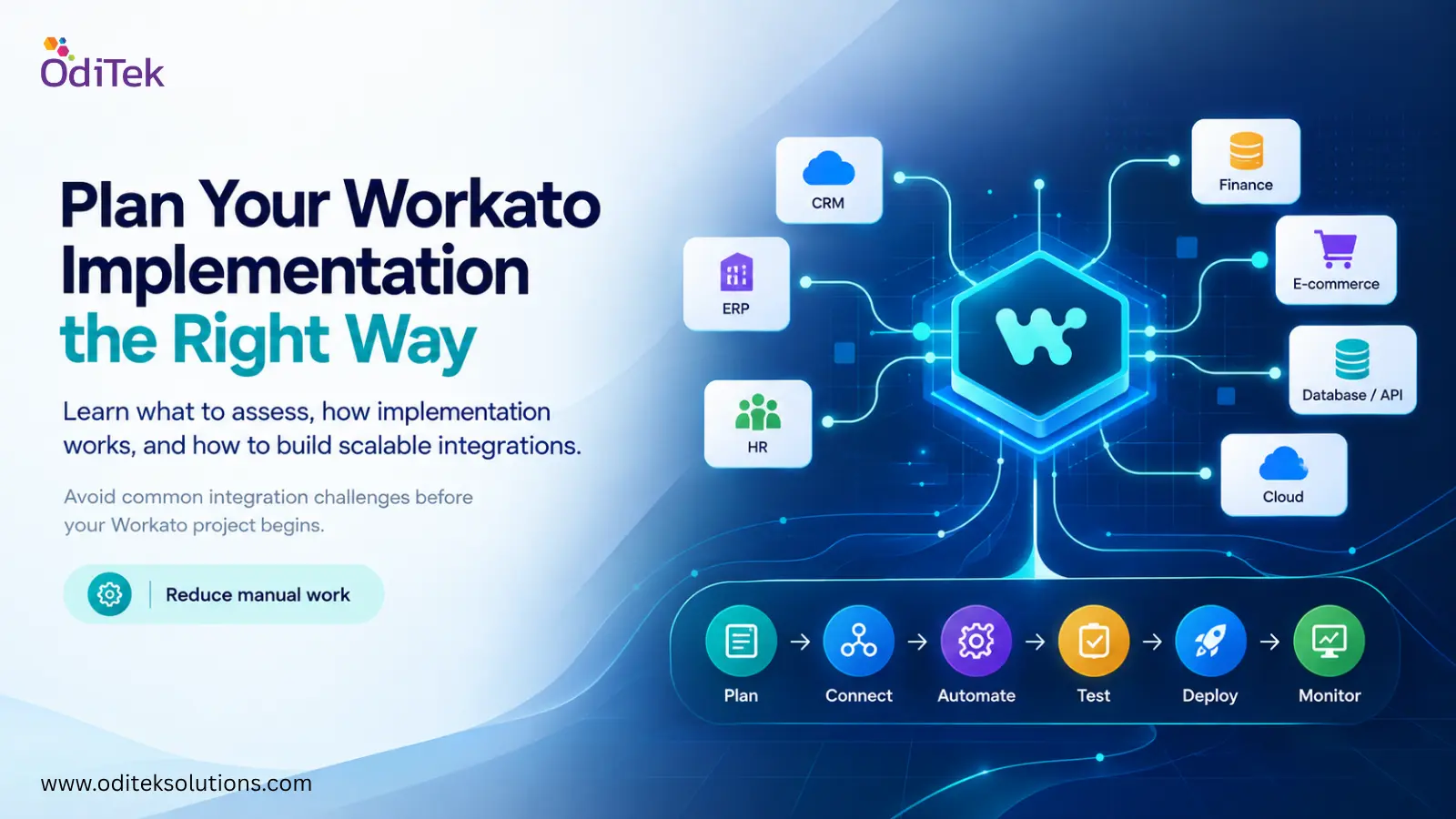
How to plan for Workato Implementation?
Workato implementation approach requires detailed process of identifying the integration points, data flow designs, configuring and deploying Workato to connect business applications, synchronize data, and automate workflows. Instead of moving information manually between disconnected systems, businesses can create automated processes that trigger actions when specific events occur.
For example, when a new customer is created in a CRM, an automated workflow could send relevant information to an ERP, update a support platform, and notify the appropriate internal team. The exact workflow depends on the organization’s applications, business rules, and operational requirements.
The implementation process typically involves requirements analysis, architecture planning, application connectivity, data mapping, workflow development, testing, deployment, and ongoing monitoring.
What Businesses Should Assess Before Getting Started
Identify the business processes first
Businesses should begin by identifying which processes actually need automation. Automating a poorly designed process can simply make an inefficient workflow run faster. Start by documenting repetitive tasks, manual data transfers, approval processes, and areas where employees regularly move information between systems.
Review the existing technology environment
Make a list of the applications involved in the proposed integrations. This may include CRM, ERP, HR, finance, e-commerce, databases, cloud platforms, or internal applications. Understanding how these systems currently communicate makes it easier to determine the right integration approach.
Define the data requirements
Data should be mapped before workflows are developed. Teams need to determine what information moves between applications, where it originates, how it should be transformed, and which system should be treated as the source of truth.
Consider security and access requirements
Integration workflows may handle customer information, financial records, employee data, or other sensitive information. Access permissions, authentication, data protection, logging, and compliance requirements should therefore be considered during the design stage rather than after deployment.
How Does Workato Implementation Work?
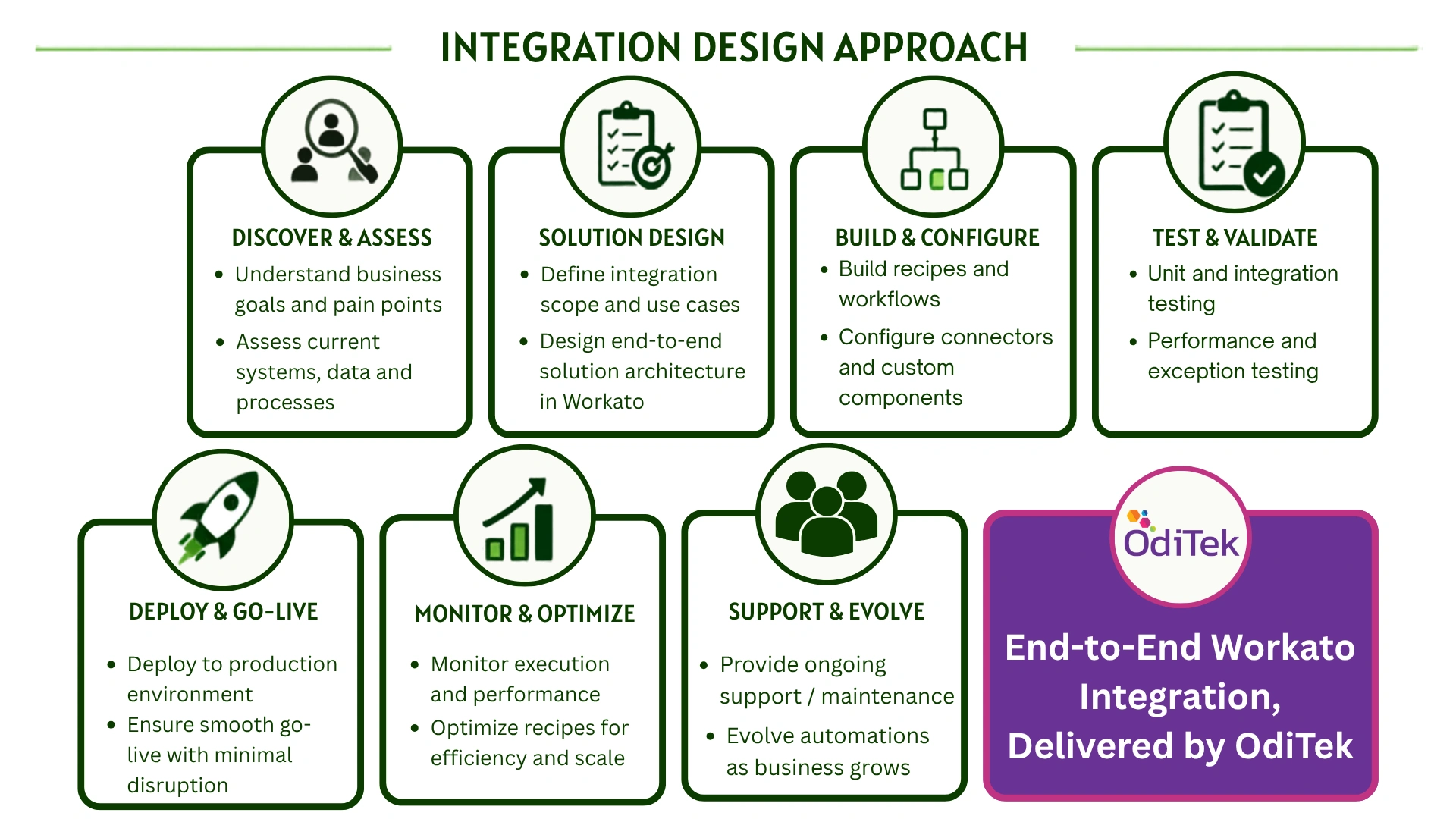
Although the exact approach varies between organizations, a typical project follows a sequence similar to this:
Discovery: Business processes, applications, integration requirements, and existing limitations are assessed.
Architecture: Integration patterns, data flows, security requirements, and deployment considerations are defined.
Development: Recipes, connectors, APIs, transformations, and workflow logic are configured or developed.
Testing: Workflows are tested for functionality, data accuracy, error handling, performance, and compatibility.
Deployment: Approved integrations are moved into the production environment with appropriate monitoring and controls.
Support: Integrations are monitored and refined as business requirements, applications, and workflows change.
This structured approach helps reduce the risk of building isolated automations that become difficult to manage later.
Common Workato Implementation Challenges to Consider
Integration projects can become complicated when organizations focus only on the technical connection between applications. Business rules, inconsistent data structures, legacy systems, authentication methods, and exception handling can all affect the final solution.
Another common issue is creating workflows without considering future requirements. An integration that works for one department or a small transaction volume may need significant changes when additional applications, regions, or business processes are introduced.
Testing is also important. A workflow should not only be tested when everything works normally. Teams should also consider failed API calls, missing data, duplicate records, authentication problems, unexpected input, and downstream system outages.
Choosing the Right Implementation Approach
Some businesses have internal teams capable of designing and managing their integration environment. Others may need external expertise for architecture, development, testing, or ongoing support.
When evaluating workato implementation services, businesses should look beyond the number of integrations a provider can build. Consider whether the team understands integration architecture, API management, data transformation, workflow automation, testing, monitoring, and existing enterprise applications.
A suitable workato implementation partner should also be able to understand the business objective behind an integration rather than treating every requirement as a standalone technical task. Clear communication, documentation, testing processes, and post-deployment support can make a significant difference to long-term results.
A workato solution provider can be particularly useful when an organization has multiple applications, complex data flows, limited internal integration resources, or a need for ongoing support. Workato Integration specialists can assist with areas such as workflow design, custom APIs, connectors, data transformation, integration testing, monitoring, and performance optimization. They can also help organizations review existing integration architecture and identify opportunities to simplify workflows.
Real-World Use Cases for Workato
Workato can support many different business scenarios because integrations can be designed around specific triggers, actions, applications, and business rules.
Customer onboarding
When a new customer signs up, information can automatically move from a CRM into billing, customer support, provisioning, or other relevant systems. This reduces repeated data entry and can shorten onboarding time.
Employee onboarding
HR systems can trigger workflows that create accounts, notify IT teams, update internal applications, and assign required resources when a new employee joins the organization.
Order processing
An e-commerce order can initiate actions across inventory, ERP, fulfillment, payment, and customer communication systems. Automating these steps can reduce delays between departments.
Data synchronization
Businesses using multiple platforms can synchronize selected customer, product, employee, or transaction data so teams have access to more consistent information across systems.
Preparing for Long-Term Integration Management
Implementation should not be treated as the final stage of an integration project. Applications change, APIs are updated, business processes evolve, and new requirements emerge over time.
Businesses should establish ownership for integrations and define how workflows will be monitored, tested, documented, and updated. Error handling and alerting should also be considered so that teams can respond quickly when an automated process fails.
A scalable integration environment should make it easier to introduce new applications and workflows without rebuilding the entire architecture from scratch.
Workato Implementation with OdiTek: Bringing Strategy and Execution Together
A successful integration strategy starts with understanding the business process, not simply connecting applications.
OdiTek Solutions provides Workato integration and consulting support covering areas such as workflow automation, data integration, API management, custom integrations, data transformation, testing, deployment, monitoring, and ongoing support. Its service approach includes planning and architecture as well as implementation and maintenance, allowing businesses to address both immediate integration requirements and future scalability.
Business value: Automation can reduce repetitive work and improve operational efficiency.
Expertise: Integration specialists can help with architecture, workflows, APIs, and data management.
Implementation support: Development, testing, deployment, and troubleshooting can be handled as part of the project.
Scalability: Proper architecture helps businesses expand integrations as their application environment grows.
Long-term benefits: Monitoring, maintenance, and optimization can help integrations remain reliable as requirements change.
Planning a new automation initiative? Explore OdiTek’s Workato integration services to discuss your requirements and build a secure, scalable integration environment.
Frequently Asked Questions
1. What is Workato used for?
Workato is used to connect applications, synchronize data, and automate business workflows. It can support processes across CRM, ERP, HR, finance, customer service, and other enterprise systems.
2. How does Workato implementation work?
It generally involves discovery, architecture planning, workflow development, data mapping, testing, deployment, and ongoing monitoring. The exact process depends on the applications and business requirements.
3. What are the benefits of Workato implementation?
The main benefits include reduced manual work, improved data accuracy, faster workflows, better operational visibility, easier scalability, and lower costs associated with repetitive processes.
4. How long does a Workato implementation take?
The timeline depends on the number of applications, workflow complexity, data requirements, testing needs, and customization involved. A simple integration can take considerably less time than a large enterprise automation program.
5. Do businesses need a Workato implementation partner?
Not always. Businesses with experienced internal integration teams may manage implementation themselves. An external partner can be useful when integrations are complex or specialized expertise, development support, testing, or ongoing maintenance is required.
6. What should businesses consider before implementing Workato?
Businesses should assess their processes, applications, data flows, security requirements, integration architecture, scalability needs, testing approach, and long-term ownership before beginning implementation.