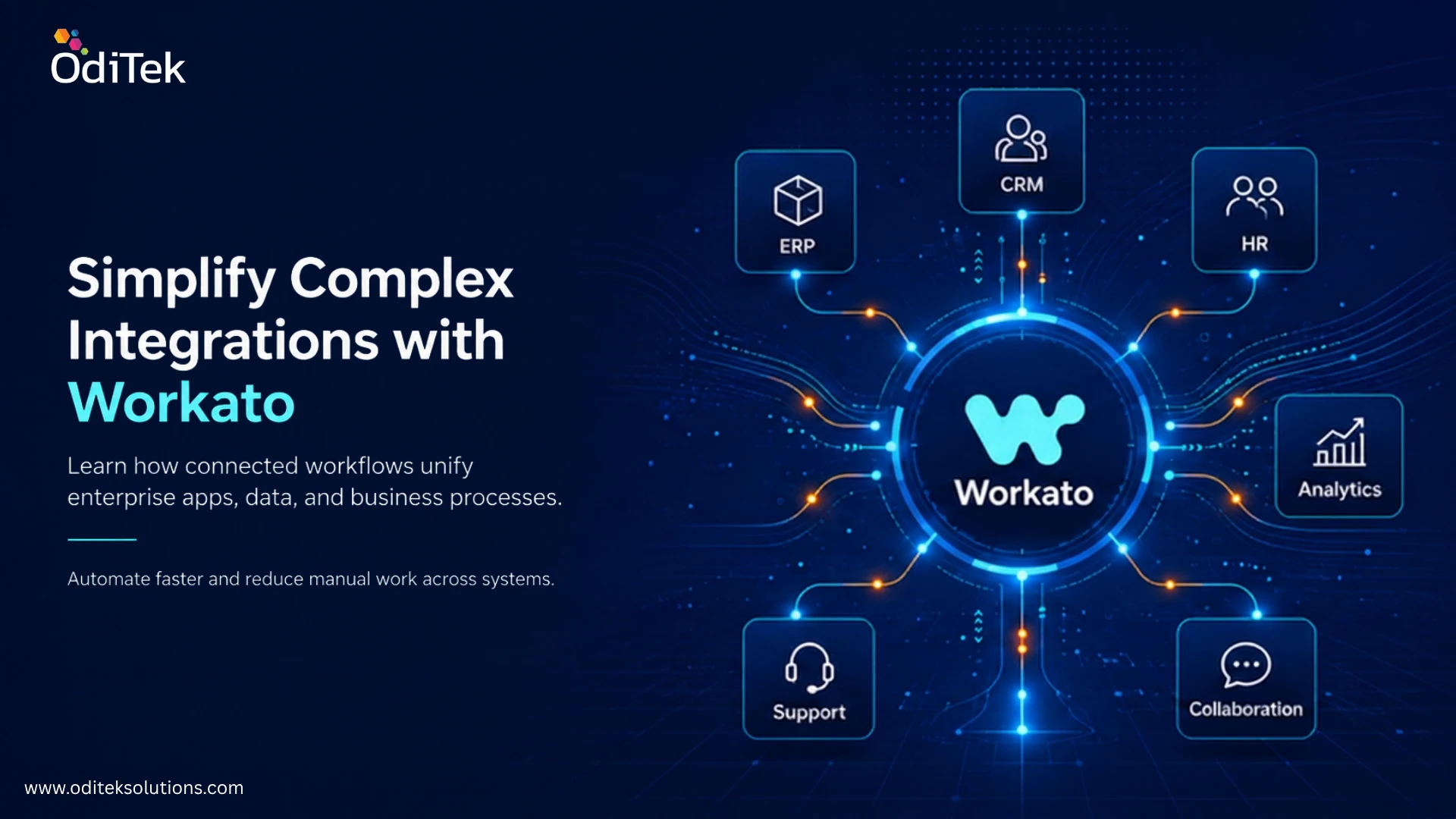
Modern businesses rarely operate with a single application. A company may use Salesforce for customer management, an ERP for finance, Workday for HR, Slack or Microsoft Teams for collaboration, and separate platforms for analytics and marketing. When these systems do not communicate properly, teams often spend time moving data manually, fixing inconsistencies, and monitoring disconnected workflows. OdiTek’s Workato integration services can help bring these applications together and automate processes that would otherwise require repeated human effort. This article explains how Workato simplifies complex integrations, where businesses can use it, and what to consider when building an effective integration strategy.
What Makes Business Integrations So Complex?
Connecting two applications may appear straightforward, but enterprise integration becomes more complicated as the number of systems increases. Each application can have different APIs, data structures, authentication methods, business rules, and update schedules.
For example, when a sales representative closes a deal, the information may need to move from a CRM into an ERP, trigger an onboarding process in an HR or service platform, update a data warehouse, and notify the appropriate team. Without automation, several of these steps may depend on manual data entry or custom scripts.
The problem is not simply connecting applications. Businesses also need to make sure that data is transferred accurately, workflows respond to events correctly, failures are detected, and integrations remain manageable as systems change.
Workato Integration Services: Simplify Complex Integrations
Workato is an integration and automation platform designed to connect applications, data, and business processes. Instead of creating separate point to point connections for every system, organizations can use reusable workflows, connectors, APIs, and automation logic to coordinate processes across multiple applications.
Connecting Disconnected Applications
Workato can connect business applications so that information can move between systems without requiring employees to repeatedly copy and paste data. This creates a more consistent flow of information across departments.
Automating Multi-Step Processes
An integration can do more than transfer data. It can respond to an event, apply business logic, transform information, update another application, and notify a team when the process is complete.
Reducing Manual Data Handling
When repetitive tasks are automated, employees can spend less time updating records or checking whether information has reached another system. This can also reduce errors caused by inconsistent manual data entry.
Supporting Different Integration Patterns
Organizations may need real-time synchronization for some processes and scheduled data movement for others. A flexible integration platform allows teams to design workflows around the actual requirements of each business process.
Key Benefits of Workato Integration Solutions
The value of integration is not limited to connecting applications. A well designed integration strategy can improve how information and processes move throughout an organization.
- Higher productivity: Employees spend less time performing repetitive data-entry and system-update tasks.
- Better data consistency: Automated synchronization can reduce discrepancies between business applications.
- Faster processes: Events can trigger workflows immediately instead of waiting for manual intervention.
- Improved scalability: Automated workflows can support growing transaction volumes without increasing manual effort at the same rate.
- Greater operational visibility: Monitoring and error handling can help teams identify problems before they affect downstream processes.
- Lower operational costs: Reducing repetitive work and maintaining fewer custom connections can improve long term efficiency.
The biggest advantage comes when automation is designed around meaningful business processes rather than simply connecting applications for the sake of connectivity.
How Does Workato Integration Help Businesses?
The answer depends on the organization’s applications and processes, but the core benefit is the ability to make systems work together as part of a connected workflow.
For instance, a customer order can trigger inventory updates, billing activities, fulfillment tasks, and notifications without requiring different teams to manually coordinate every step. Similarly, a new employee record can initiate account creation, onboarding tasks, and notifications across multiple systems.
This approach can also improve decision making. When important information reaches analytics or reporting platforms automatically, teams can work with more current data instead of relying on manually consolidated spreadsheets.
Real-World Use Cases for Workato Integration
Integration becomes easier to understand when viewed through practical business scenarios.
Sales and Customer Management
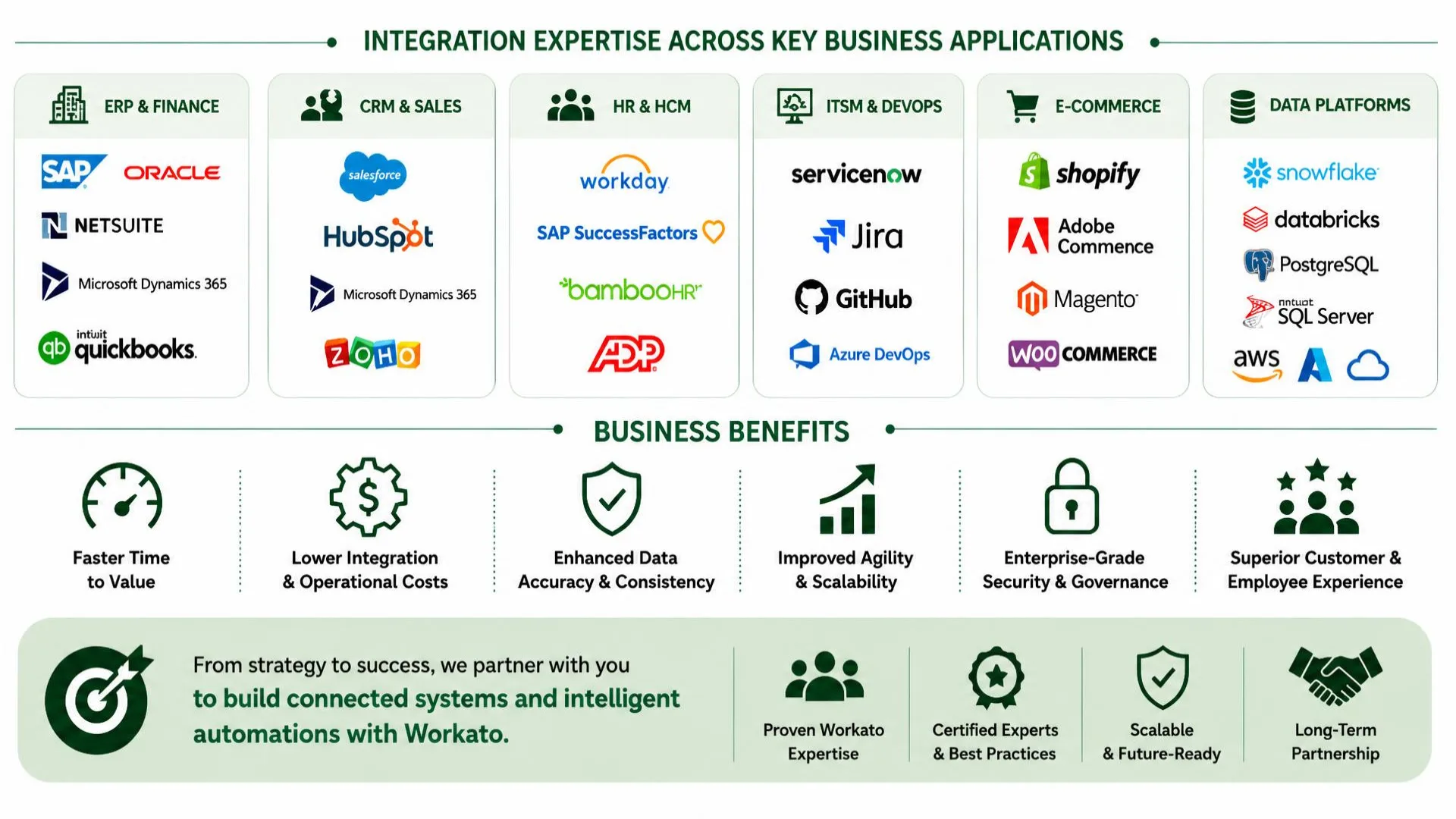
A company can connect its CRM with billing, support, marketing, and customer success platforms. When a customer record changes, relevant systems can be updated automatically, reducing duplicate work across departments.
Finance and ERP Automation
Organizations can connect sales, procurement, billing, and financial systems to automate processes such as order processing, invoice synchronization, and payment related workflows.
Employee Onboarding
HR teams can automate workflows between HR platforms, identity systems, collaboration tools, and IT applications. When a new employee is added, the appropriate tasks can be triggered across these systems.
Data Warehouse Integration
Businesses can move selected operational data into platforms such as Snowflake, BigQuery, or other analytics environments. This can help create a more reliable flow of information for reporting and business intelligence.
Customer Support
Customer information can be synchronized between CRM, support, communication, and service platforms. This gives support teams better access to relevant customer information while reducing the need to search across multiple systems.
When Should You Work with a Workato Integration Consultant?
Organizations with a small number of straightforward workflows may be able to manage some integrations internally. More complex environments often benefit from specialist guidance.
A workato integration consultant can help assess existing systems, identify suitable integration patterns, design workflows, map data, plan APIs, and establish testing and monitoring practices. This becomes particularly useful when an organization has legacy applications, multiple cloud platforms, custom APIs, or large volumes of data.
Consulting support can also help prevent a common problem: building individual integrations without considering the larger architecture. A structured approach can make future integrations easier to maintain and extend.
What Are Workato Integration Services?
A simple answer to what are workato integration services? They are professional services focused on designing, developing, implementing, managing, and supporting integrations and automated workflows using Workato.
Depending on business requirements, these services can include integration consulting, architecture, workflow design, custom development, API integration, data transformation, testing, monitoring, maintenance, and ongoing support.
The exact scope should be based on the organization’s systems, business processes, security requirements, and long-term automation goals.
Building a More Connected Business With Workato
Complex integrations do not have to become a collection of fragile, disconnected connections. With the right architecture and automation strategy, businesses can connect applications, synchronize data, and coordinate multi-step processes more efficiently. workato integration services can support this approach by bringing integration and workflow automation into a more unified environment.
OdiTek provides Workato consulting, architecture, implementation, development, design, managed services, platform support, and maintenance capabilities. Its service approach covers areas such as workflow automation, data integration, API management, custom integrations, data transformation, testing, monitoring, and ongoing support.
Key areas businesses can consider when selecting an integration partner include:
- Business value: Focus on measurable improvements in productivity, efficiency, and process speed.
- Technical expertise: Look for experience with integration architecture, APIs, data mapping, automation, and enterprise applications.
- Implementation support: Ensure the partner can support testing, deployment, troubleshooting, and integration optimization.
- Scalability: Build an integration foundation that can accommodate new applications, workflows, and growing data volumes.
- Long term support: Plan for monitoring, maintenance, security reviews, performance improvements, and future changes.
Looking to connect your business applications and automate complex workflows? Explore OdiTek’s Workato integration capabilities to build secure, scalable, and maintainable business processes.
Frequently Asked Questions
1. What are OdiTek’s Workato integration services?
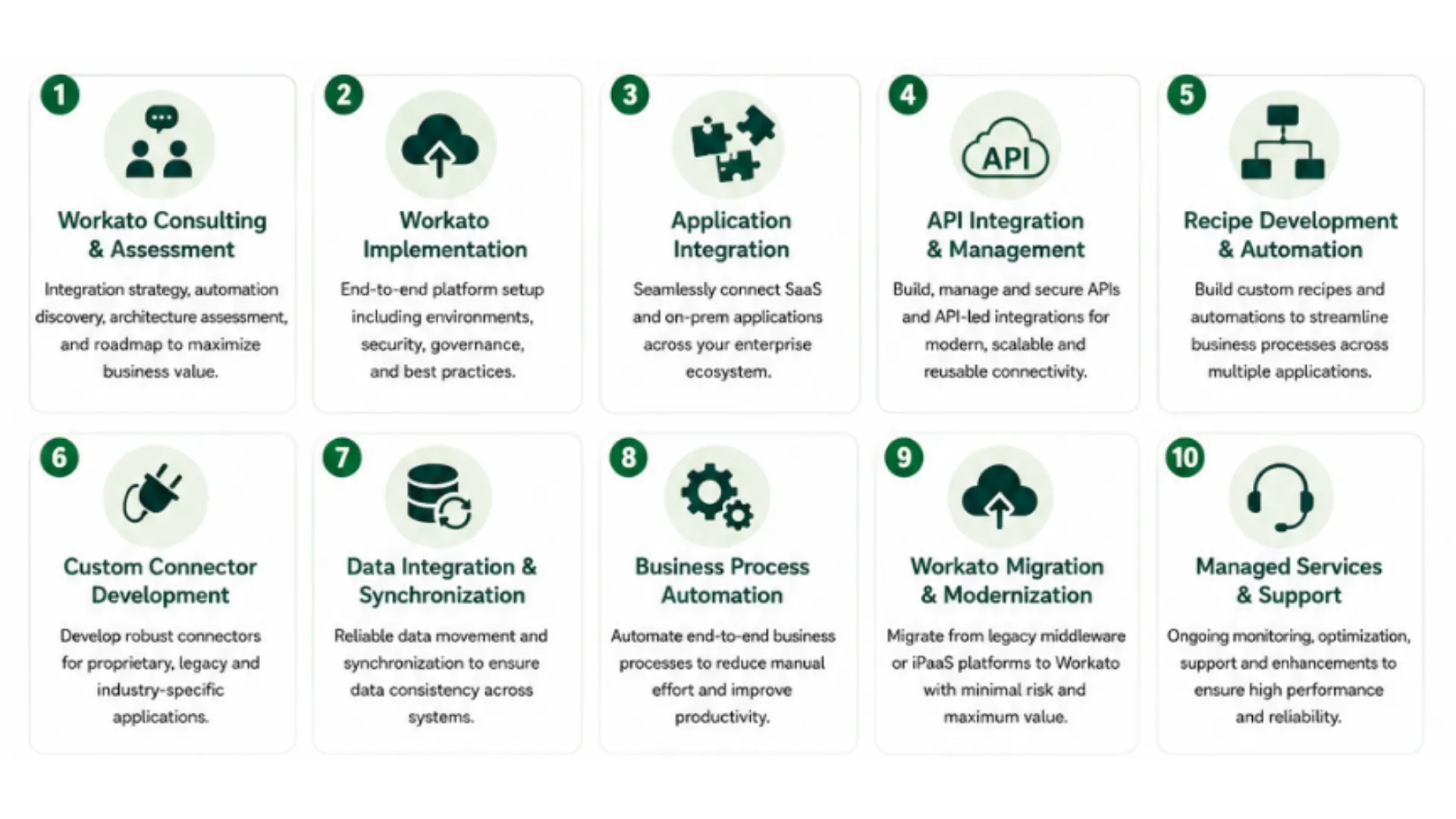
OdiTek’s Workato integration services help businesses connect applications, synchronize data, automate workflows, develop integrations, manage APIs, and maintain connected business processes. OdiTek has strong Workato Implementation and Managed Services experience, and provides different services like Workato Consulting & Assessment, Workato Implementation, Application Integration, API Integration & Management, Recipe Development & Automation, Custom Connector Development, Data Integration & Synchronization, Business Process Automation, Workato Migration & Modernization, Managed Services & Support.
2. How does Workato integration help businesses?
It helps businesses automate repetitive processes, connect disconnected applications, synchronize data, reduce manual work, and improve the speed and consistency of business operations.
3. Why should a business use Workato instead of building separate integrations?
A centralized integration and automation approach can make workflows easier to manage, reuse, monitor, and expand as the number of applications and business processes grows.
4. What systems can businesses integrate with Workato?
Workato can be used to connect a wide range of enterprise applications, SaaS platforms, databases, APIs, and other business systems. The appropriate integration depends on the available connectors, APIs, and technical requirements.
5. When does a business need a Workato integration consultant?
A consultant can be useful when integrations involve multiple applications, complex workflows, custom APIs, large data volumes, legacy systems, or specific security and architecture requirements.
6. Can Workato integrations support business growth?
Yes. Properly designed integrations can provide a reusable foundation for adding applications and automating additional processes as business requirements evolve.