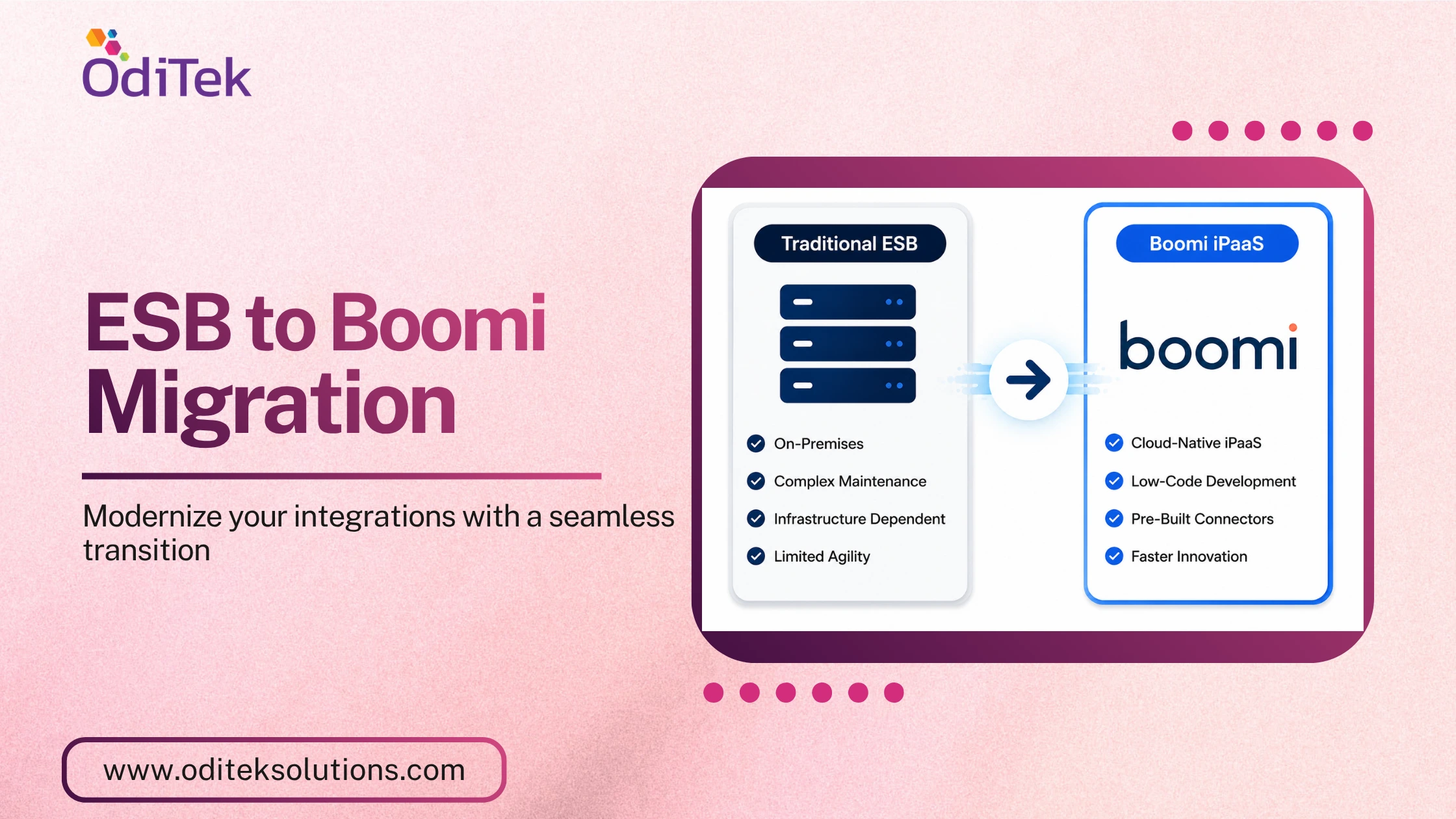
Enterprise integration has evolved from traditional on-premises middleware to cloud-native integration platforms that support today’s hybrid IT environments. While Enterprise Service Bus (ESB) solutions continue to play an important role in connecting enterprise applications, organizations are increasingly exploring ESB to Boomi Migration to enhance agility, scalability, and cloud connectivity.
As businesses adopt SaaS applications, APIs, and multi-cloud environments, the need for flexible integration becomes more critical. This is where ESB to Boomi migration enables organizations to modernize their integration landscape without compromising existing business processes.
What is ESB to Boomi Migration?
ESB to Boomi migration is the process of transitioning integration workflows, services, APIs, and business processes from a traditional Enterprise Service Bus(ESB) platform to Boomi Integration Platform as a Service (iPaaS).
Traditional ESB platforms have long served as the backbone of enterprise integrations by enabling communication between applications, databases, and services. However, as organizations embrace cloud computing and digital transformation, they require an integration platform that can seamlessly connect cloud and on-premises systems while simplifying integration development and management.
During an ESB to Boomi conversion, organizations assess existing integrations, redesign workflows where necessary, and rebuild them using Boomi’s low-code, cloud-native platform. Rather than a direct one-to-one replacement, migration often provides an opportunity to optimize integration architecture and improve operational efficiency.
Many organizations migrate from platforms such as Oracle Service Bus, IBM Integration Bus, TIBCO BusinessWorks, Mule ESB, WSO2 ESB, and Red Hat Fuse to Boomi while maintaining business continuity through a phased migration approach.
Why Migrate from ESB to iPaaS?
Organizations are not replacing ESB because it lacks value. Instead, they are adopting iPaaS to support modern integration requirements that have evolved alongside cloud adoption and digital business initiatives.
Here are some of the primary reasons organizations choose to migrate from ESB to iPaaS:
1. Cloud-Native Integration – Boomi is designed for cloud-first environments, making it easier to integrate SaaS applications, cloud services, and on-premises systems through a single platform.
2. Faster Development – Boomi’s low-code development environment enables integration teams to design, deploy, and manage integrations faster than traditional development approaches.
3. Hybrid Connectivity – Most enterprises operate in hybrid environments. Boomi provides secure connectivity between legacy applications, cloud platforms, APIs, and partner systems.
4. Simplified Platform Management – Unlike traditional middleware that requires infrastructure maintenance, Boomi manages platform updates, reducing operational overhead for IT teams.
5. Scalability – Organizations can easily expand integrations as business requirements evolve without major infrastructure upgrades.
6. API-Led Integration – Modern enterprises increasingly rely on APIs to connect applications and digital services. Boomi provides built-in API management capabilities alongside application integration.
Benefits of Boomi over Traditional ESB
When evaluating Boomi ESB migration, organizations often compare the capabilities of modern iPaaS platforms with traditional ESB solutions. While both support enterprise integration, Boomi offers additional advantages for today’s cloud-driven environments.
1. Low-Code Integration Development – Boomi provides a visual development environment that reduces coding effort, accelerates implementation, and simplifies ongoing maintenance.
2. Cloud-Native Architecture – As a cloud-based integration platform, Boomi eliminates much of the infrastructure management associated with traditional middleware deployments.
3. Faster Time-to-Value – Reusable components, templates, and simplified deployment help organizations deliver integration projects more quickly.
Enterprise Scalability
Boomi supports enterprise-grade integration requirements while adapting to growing business demands across multiple locations and business units.
How to Migrate ESB to Boomi iPaaS
A successful ESB to Boomi migration requires a structured approach that minimizes disruption while maximizing long-term value.
Step 1: Assess Your Existing ESB Environment
Start by evaluating your current integration landscape, including:
• Integration workflows
• Connected applications
• Business services
• APIs
• Data transformation rules
• Dependencies
Step 2: Prioritize Integrations
Many organizations begin with:
• SaaS application integrations
• Customer-facing APIs
• Frequently updated workflows
• High-maintenance integrations
Step 3: Design the Future-State Architecture
Define how integrations will function within Boomi by considering:
• Hybrid connectivity
• Security requirements
• API strategy
• Error handling
• Monitoring
Step 4: Perform the ESB to Boomi Conversion
Using Boomi’s visual integration designer, recreate integration processes while optimizing workflows wherever possible.
This includes:
• Process orchestration
• Data mapping
• Application connectors
• API implementation
• Business rules
Step 5: Validate Through Comprehensive Testing
Before production deployment, perform:
• Functional testing
• Integration testing
• Performance testing
• User acceptance testing
Step 6: Execute a Phased Migration
Rather than migrating every integration simultaneously, organizations often deploy integrations in phases. This approach reduces operational risk and allows teams to validate performance before expanding migration efforts.
Step 7: Monitor and Optimize
After deployment, continuously monitor integration performance, optimize workflows, and implement governance practices to maximize platform efficiency.
Best Practices for ESB to Boomi Conversion
A successful ESB to Boomi conversion involves careful planning and governance. Consider these best practices:
• Conduct a detailed assessment of your existing ESB environment.
• Prioritize high-value and cloud-ready integrations.
• Avoid replicating outdated integration patterns.
• Implement API-led integration wherever appropriate.
Conclusion
Boomi ESB migration is more than a technology upgrade, it’s an opportunity to modernize your integration strategy and support future business growth. While traditional ESB platforms remain valuable for many enterprise environments, organizations are increasingly adopting Boomi iPaaS to improve cloud connectivity, streamline integration development, and support scalable, hybrid architectures.
Contact OdiTek Solutions today to discuss your ESB to Boomi migration requirements and discover the right modernization strategy for your organization. Our Boomi experts can assess your current integration environment, develop a tailored migration roadmap, and deliver secure, scalable, and future-ready integration solutions.
Don’t forget to explore our Boomi expertise hub for the latest best practices, migration insights, and technical guidance to maximize your Boomi investment.
Frequently Asked Questions (FAQs)
1. What is ESB to Boomi migration?
ESB to Boomi migration is the process of moving enterprise integrations, APIs, services, and workflows from a traditional Enterprise Service Bus to the Boomi Integration Platform as a Service.
2. Why migrate from ESB to iPaaS?
Organizations migrate to iPaaS to support cloud applications, hybrid integration, API-led connectivity, simplified management, and scalable integration architectures.
3. What are the benefits of Boomi over traditional ESB?
Boomi offers cloud-native deployment, low-code development, pre-built connectors, API management, hybrid integration, faster implementation, and simplified maintenance.
4. How do you migrate ESB to Boomi iPaaS?
The process involves assessing the existing ESB environment, rebuilding integrations in Boomi, testing thoroughly, and deploying in phases for a smooth transition.
5. Can ESB and Boomi run together during migration?
Yes. Many organizations adopt a phased migration approach where ESB and Boomi coexist until all required integrations have been successfully migrated.
6. Is ESB to Boomi conversion a direct one-to-one migration?
Not always. Most organizations use the migration as an opportunity to optimize integration workflows and leverage Boomi’s cloud-native capabilities.
7. What should organizations consider before starting a Boomi ESB migration?
They should evaluate integration complexity, application dependencies, business priorities, security requirements, API strategy, and governance to ensure a smooth migration.
8. How can OdiTek Solutions help with ESB to Boomi migration?
OdiTek Solutions helps organizations modernize integrations with expert Boomi consulting, migration, implementation, and support.